Find Unreliable, Abandoned, or Compromised Plugins
Instantly identify plugins that haven’t been updated, have known vulnerabilities, or have been removed from wordpress.org. Stop discovering problems after they break a client site.

STEADYSCORE
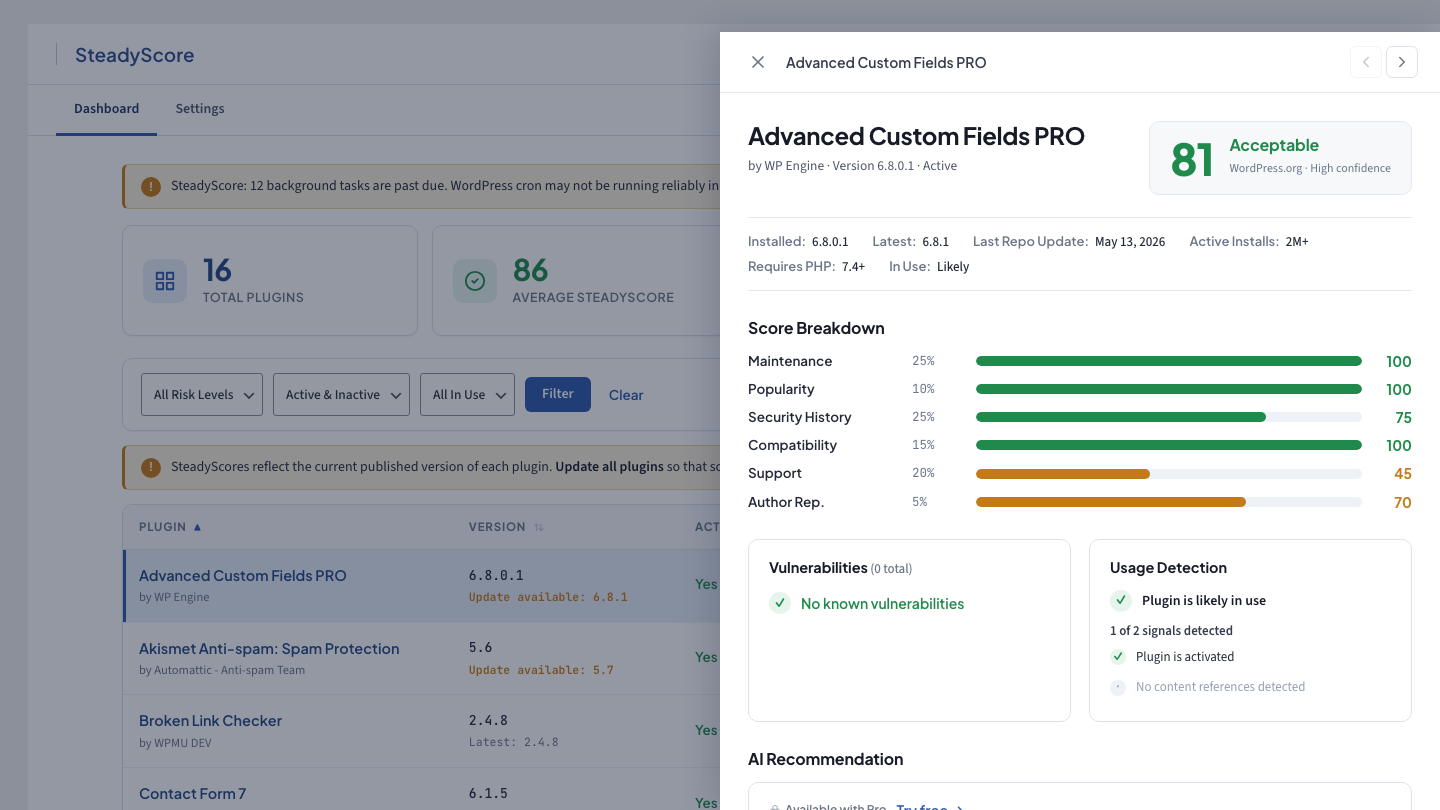
SteadyScore gives every plugin on your WordPress site a reliability score from 0 to 100 — based on real data, not guesswork. Install it, and know in 60 seconds which plugins are solid and which ones are a risk.

WHY THIS EXISTS
You manage 10, 20, 50 client sites. Each one has 15–60 plugins. That’s hundreds of individual trust decisions you’re responsible for — and the only tools available are checking the “last updated” date on wordpress.org and hoping for the best.
SteadyScore replaces gut feel with data.
WHAT STEADYSCORE DOES
SteadyScore evaluates every plugin on the site against real-world reliability data and gives you a score from 0 to 100. One dashboard, 60 seconds, full picture.
Instantly identify plugins that haven’t been updated, have known vulnerabilities, or have been removed from wordpress.org. Stop discovering problems after they break a client site.
Premium and custom plugins don’t have wordpress.org profiles. SteadyScore evaluates them through alternative data sources — CodeCanyon, BuiltWith adoption data, Wordfence vulnerability reports — so nothing on the site goes unscored.
Not every active plugin is doing something. SteadyScore helps you identify plugins that are installed but may not be serving a purpose — so you can clean up the stack instead of carrying dead weight.
Some plugins do what three lines of custom code could handle. SteadyScore helps you see which plugins are essential and which are adding overhead without enough value.
Go beyond the score. Get plain-language explanations of what’s wrong, what’s risky, and what to do about it — written for developers, not end users.
TWO TIERS
Free
Pro
WHO IT’S FOR
Onboarding a new client? Score their entire plugin stack in 60 seconds. Export the report and show them exactly where the risks are.
Set up weekly scans across your portfolio. Get alerted when a plugin’s score drops so you can act before it becomes a client problem.
Choosing between two caching plugins? Two form builders? Compare trust scores side by side and pick the one with the stronger reliability track record.
Install the free plugin, activate it, and every plugin on the site gets scored automatically. No account required.
SiteReview produces a complete, client-ready audit — performance, security, accessibility, SEO — in minutes.